
Project duration
~ 3 months
Audience
Licensed agents and brokers
My role
Lead UIUX Designer
Responsibilities
End-to-end (discovery framing, IA, flows, UI, handoff)
Problem statement
Problem
Insurance advice in Hong Kong is document-heavy. Before a meeting, an agent or broker often juggles brochures, proposals, spreadsheets, and — for financed cases — loan assumptions. The pain is a broken narrative: numbers in one PDF, talking points in another, and any AI chat sitting beside the work instead of carrying it. A fluent answer without a cite is also hard to stand behind in a regulated conversation.
myBora is a chat-first workspace for licensed agents and brokers: compare plans, unpack illustrations and proposals, and keep answers grounded in source documents. Premium financing is a subscription feature for adjustable loan scenarios they can explain.
Agents and brokers needed one workspace to turn brochures and proposals into comparable, citable answers — and adjustable financing scenarios — without hopping across PDFs, sheets, and chat.

DISCOVERY
Discovery & Insights
I grounded discovery in shadowing and a product audit of the finished workspace — not a formal interview study. I shadowed advisor prep workflows and product walkthroughs (how someone would move from chat into compare or financing before a meeting), and audited the shipped UI plus public marketing positioning for compare and brochure-grounded Q&A.
Insight: Prep still lived across PDFs, sheets, and chat. Compare work, document reading, and financing math live in different files and tools.
Design implication: One workspace shell: chat as home, advice tools one step away — not three separate apps.
Insight: Chat alone could not carry high-stakes plan or loan numbers. Fluency without structure fails when an advisor must explain a plan difference or a loan assumption.
Design implication: Chat is the entry; Compare and Premium financing get dedicated canvases with controls.
Insight: Advisors need to see that answers come from brochures or uploaded docs — and that AI can be wrong.
Design implication: Ground answers in sources; show citations / educational framing; keep human accountability visible.
Insight: Not every workflow needs loan stress-tests; licensed agents presenting financed cases do.
Design implication: Premium financing is a subscription feature for licensed agents and brokers, alongside compare and document Q&A.
Insight: Advisors present side-by-side, not a chat transcript. Client-facing compare needed a tablet-ready layout.
Design implication: Tablet-oriented compare (“Present on iPad” as a descriptive label): plan × bank cards, charts, sensitivity.
Insight: Metered AI usage had to be visible in-product. Usage cost that surprises mid-meeting breaks trust in the tool itself.
Design implication: Balance, activity, and plan / top-up as first-class account UX.

REFRAME
We started with “Build an insurance AI chatbot.” Evidence pointed elsewhere: agents and brokers need to compare plans quickly, with numbers they can cite, and adjust financing they can explain. The job wasn’t “add chat,” but one workspace for comparison plus a premium-financing stress-test they can stand behind.
DECISIONS
Key decisions
SOLUTION
After Solution
The workspace is chat-first. After sign-in, advisors start in conversation, then step into compare or premium financing without leaving the same shell. Library recovers earlier work; billing keeps credits and plan visible.
Auth — workspace gate
A calm SaaS login (“log in to your workspace”) sets a professional tone before any AI interaction. Trust starts at the door — especially for a product that will handle proposals and financing assumptions.

Main chat
Empty state: “How can I help you?” with attachment and voice affordances, plus suggested prompts aimed at comparison and analysis. Chat is how work starts — attach a proposal, ask in natural language, or pull from indexed Hong Kong insurer brochures — not where every number must live forever.
Why it matters: Lowers cold-start friction (“what do I even ask?”) and matches the brochure-grounded Q&A story while staying inside the advisor workspace.
Compare
Side-by-side plan and bank pairing, net-gain / growth charts, and scenario levers in a tablet-oriented Present on iPad layout (descriptive label for the client-facing compare pattern). Built for the moment an agent explains differences to a client — not for scrolling a chat log on a phone under the table.
Compare supports financed storytelling (plan and bank). Loan stress-tests live in Premium financing, a subscription feature for licensed agents and brokers.

Premium financing
Import or enter illustration cash values, configure loan terms (HKD market rate styles such as HIBOR / Prime / Fixed appear in UI), review KPI-style summaries and year-by-year views, adjust sensitivity, and generate client talking points / PDF — with illustrative-only framing.
Portfolio callout: Premium financing is a subscription feature for licensed agents and brokers.
Why it matters: Turns “the bank said X / the illustration said Y” into one adjustable conversation the advisor still owns.
Library / Search
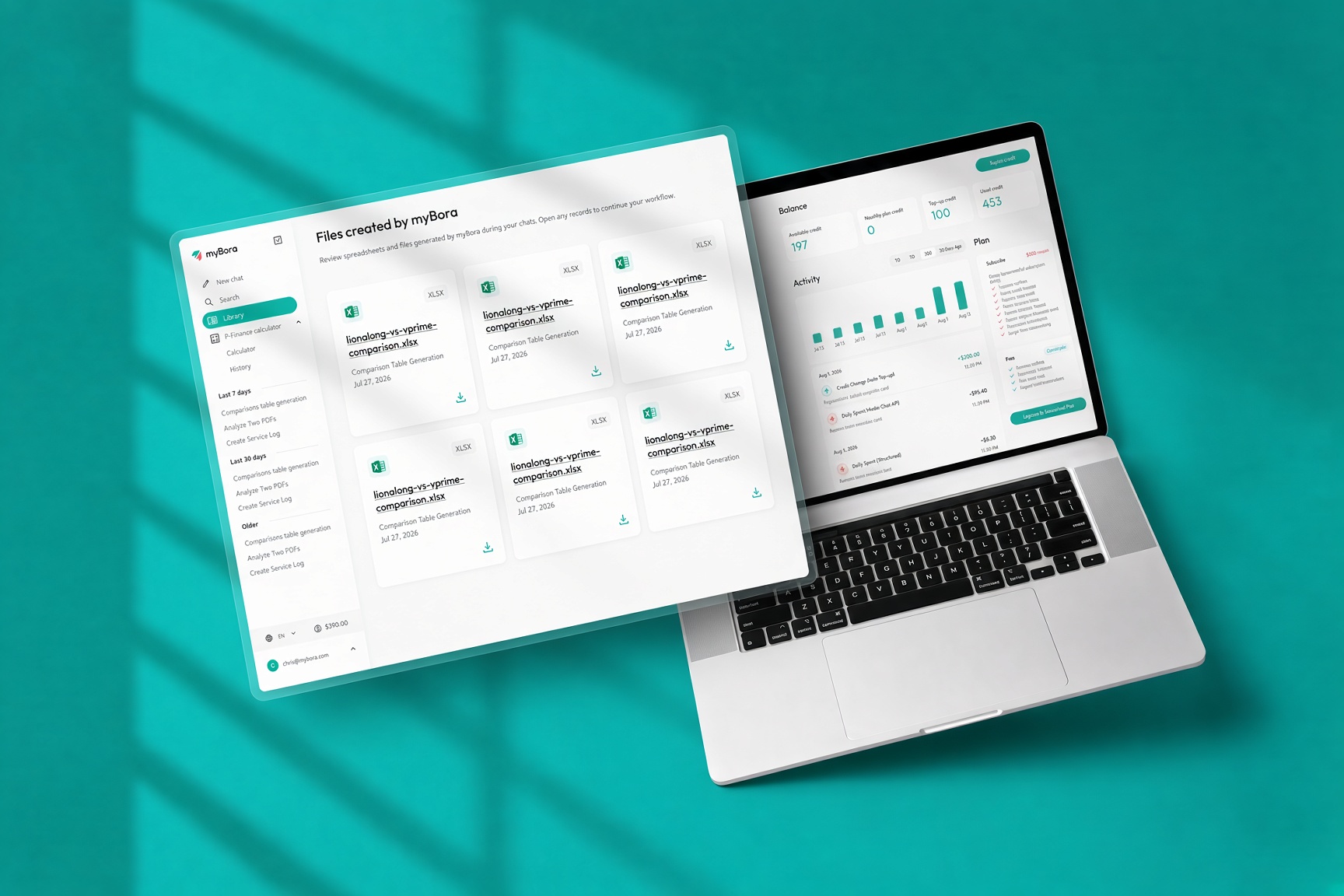
Search and recent items pull back prior comparisons, PDF analyses, and related history so repeat client work does not start from zero. History affordances such as Comparisons, Analyze PDFs, and Create Service Log lightly hint at the getBora ops side of the same aiBora family without turning this page into a second case study.

Balance and billing
Available credits, top-up, activity (what usage cost), and free vs subscribe. Metered AI is designed as product UX, not an afterthought invoice. Sample plan figures in the UI are illustrative and may stay visible.
OUTCOMES
Qualitative outcomes
01
One advisor workspace
Brought document-grounded compare, illustration / proposal reading, and a premium-financing stress-test into one workspace — instead of PDF, Excel, and chat sprawl. Designed end-to-end in high fidelity for the live product (no launch metrics claimed here).
02
Answers you can stand behind
Designed citations, source-grounding, and educational framing into compare and Q&A, so answers point back to brochures or uploads. Made financing assumptions visible and adjustable (rates, loan inputs, guaranteed vs illustrated) so the agent stays accountable — within regulated-tone expectations (AI is not 100% accurate; illustrative / reference use).
03
Specialist tools, visible cost
Treated premium financing as a subscription feature for licensed agents and brokers, alongside compare and grounded Q&A in the same workspace. Made credits and plan understandable in-product so metered AI cost is visible.
LEARNING
What I learned
In insurance advice tools, AI is an entry point — not the whole product. The hard design work was structuring comparison and financing so a licensed human can still own the client conversation. Trust is a control problem as much as a copy problem. Sliders, guaranteed vs illustrated toggles, citations, and disclaimers do more for adoption than a smarter-sounding paragraph.
Specialist tools belong in the IA, not only in marketing. Treating premium financing as a subscription for licensed agents and brokers kept a clear promise: the workspace is for advisors, and financing is a tool they subscribe to. If I continued the work, I would run usability tests with agents on the Present-on-iPad compare pattern and tighten citation UX.