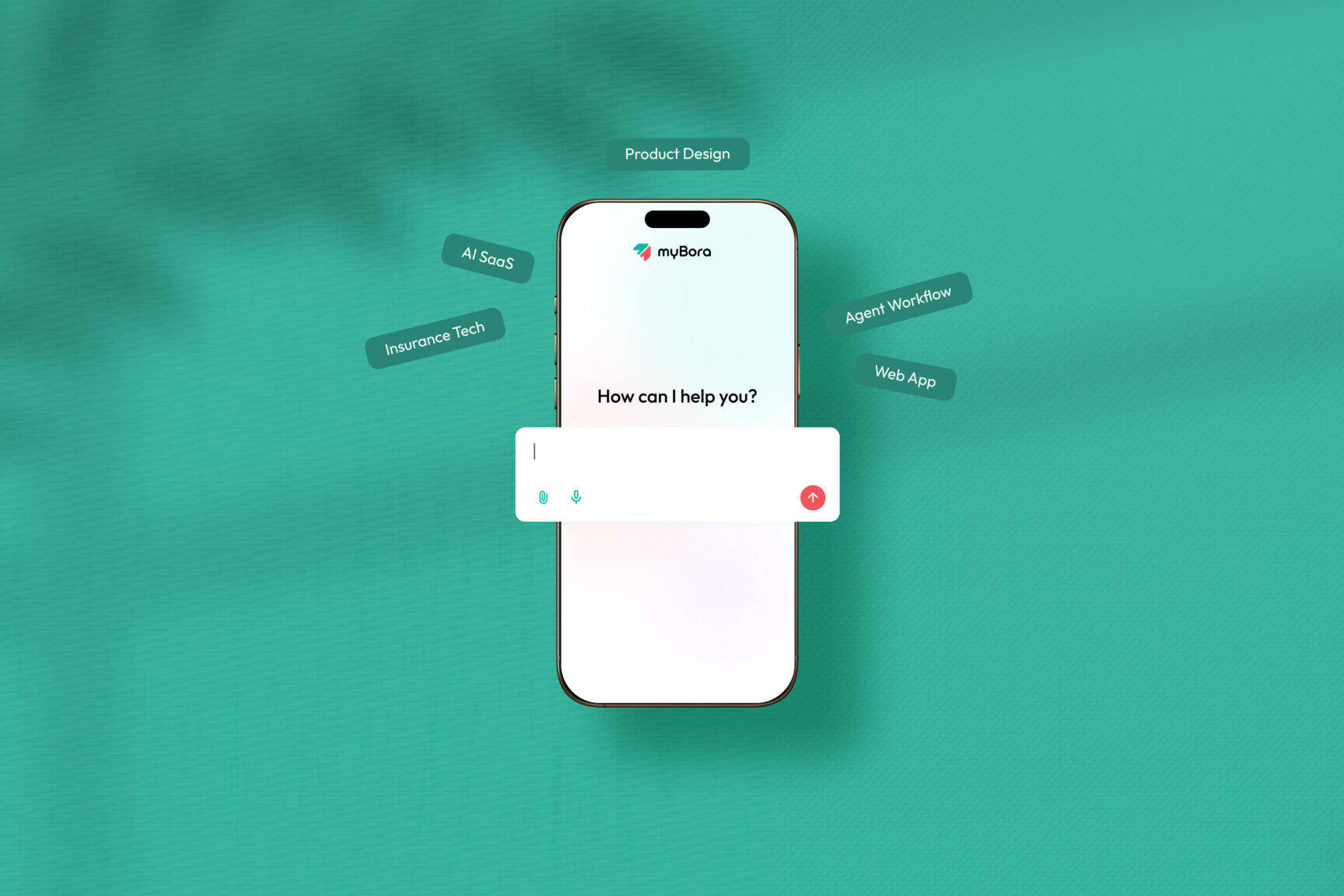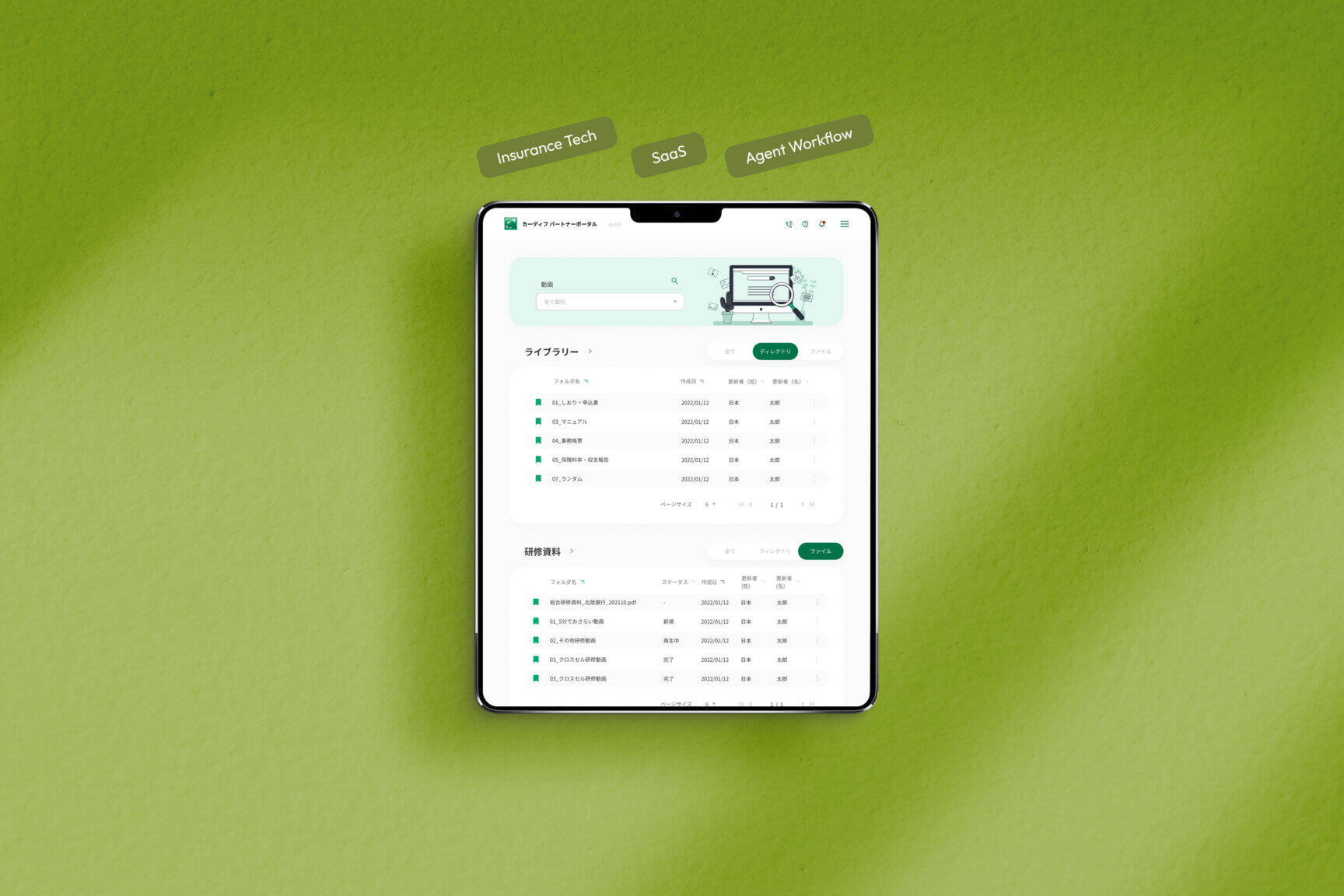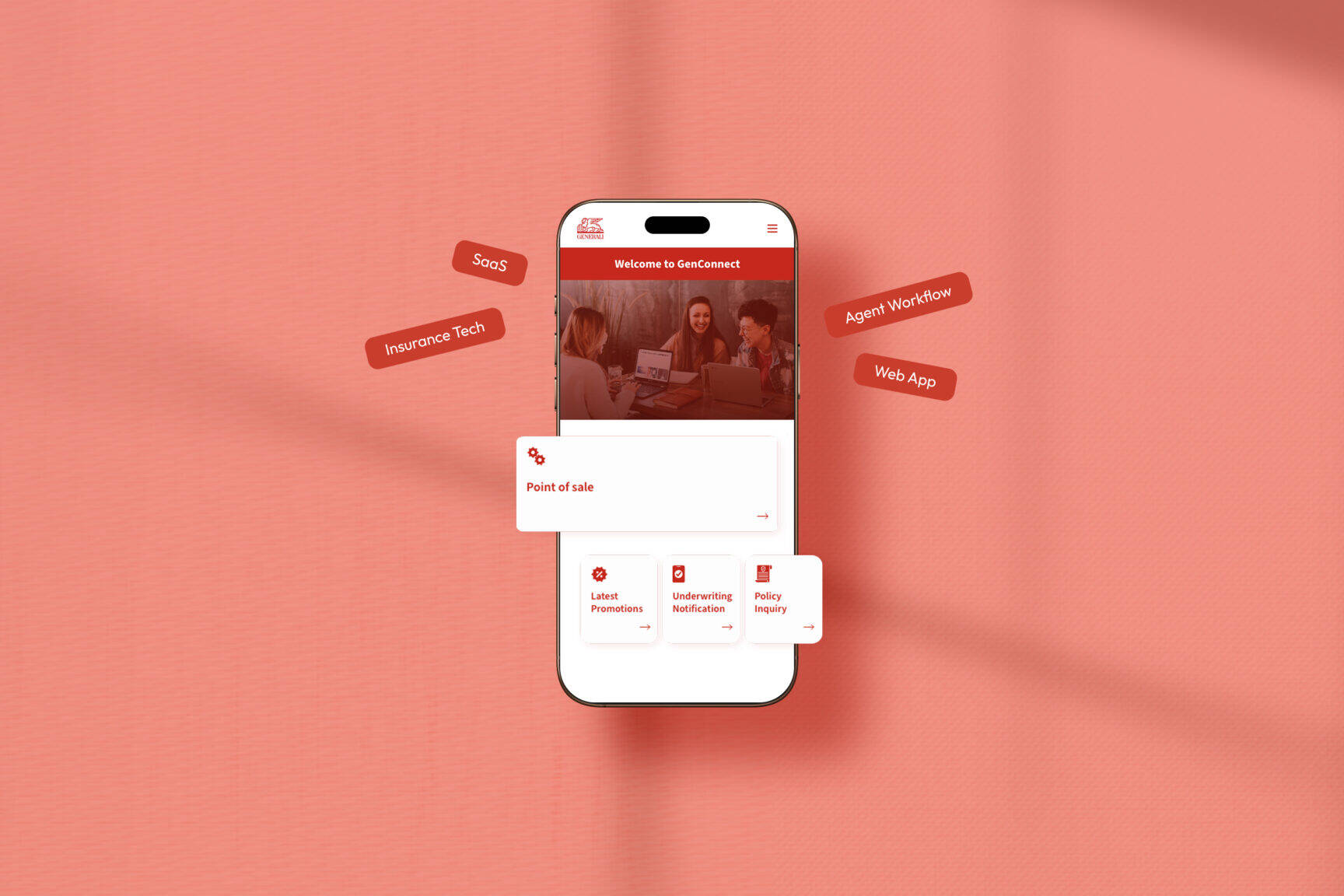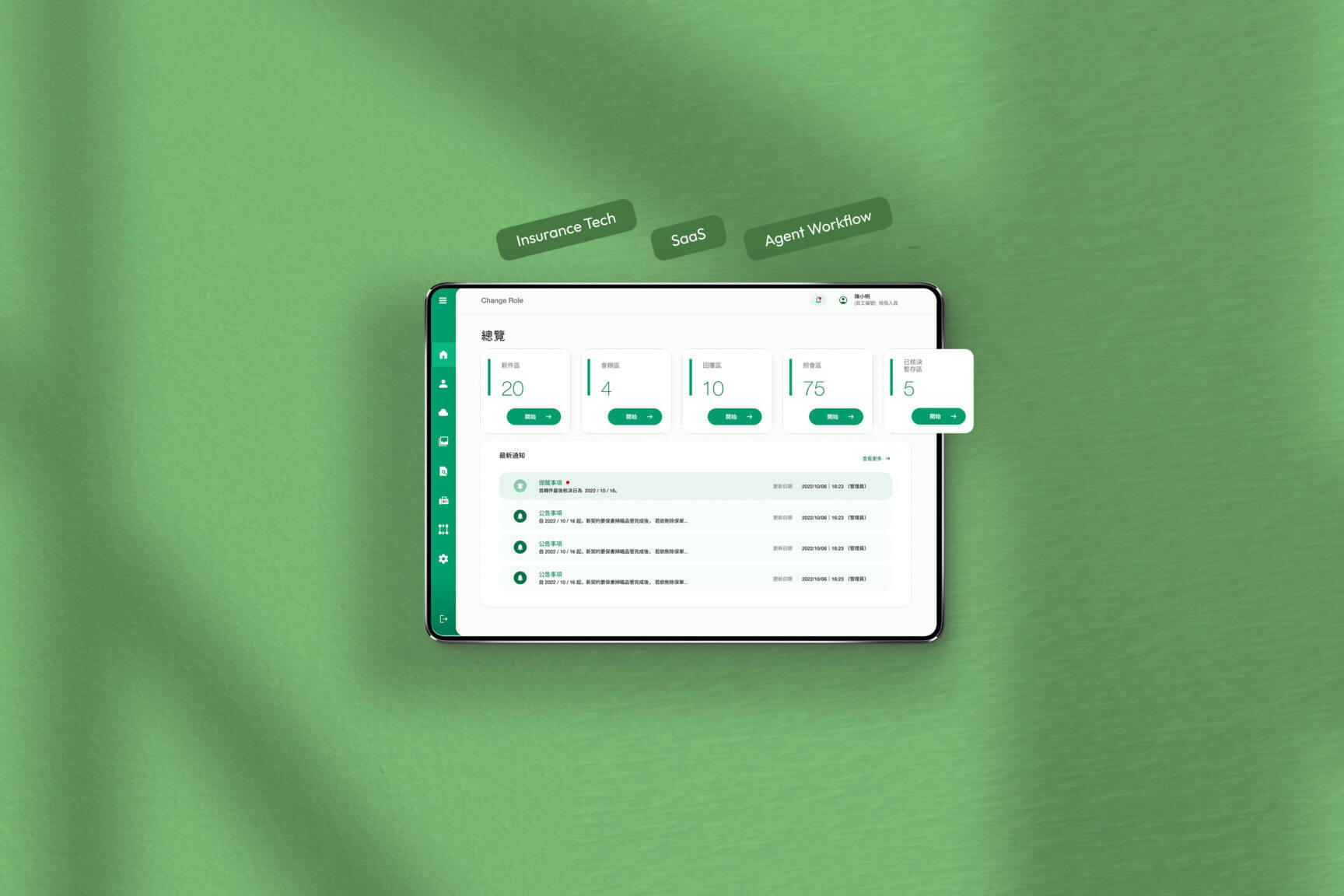
getBora
Designed an Autonomous AI platform for insurance brokerage ops — servicing, eKYC, and org billing under human oversight.
Overview
Designed an Autonomous AI platform for insurance brokerage ops — servicing, eKYC, and org billing under human oversight.
Device support
Webapp (responsive)
My role
Product designer
Project duration
3 months
Responsibilities
End-to-end — discovery framing, IA, flows, UI, handoff
CONTEXT
Problem / Context
Insurance brokerage operations in Hong Kong are channel-heavy and compliance-sensitive. A single client request can bounce across WeChat, email to the insurer, a policy spreadsheet, a separate KYC tool, and different insurer agents. Legacy CRM often only “records” the activity while staff still chase status, re-key details, and paste formal replies by hand.
The pain is a broken case narrative: informal chat, insurer email, policy records, and compliance checks do not live in one accountable thread — information is too much and too scattered, and every case means chasing different contacts again.
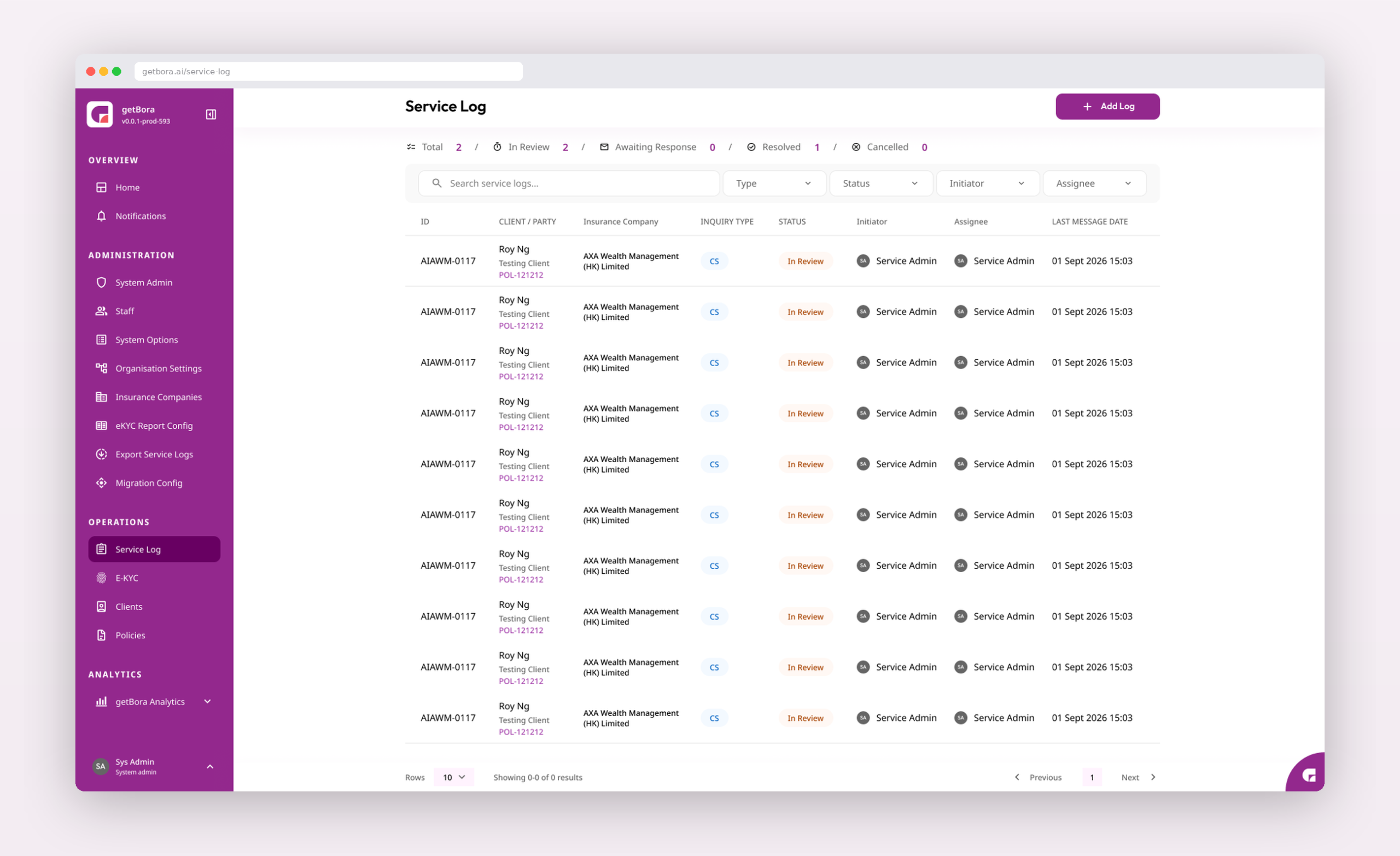
getBora (by aiBora) is an Autonomous AI operations platform for that job: clients and policies as the system of record, a Service Log that carries multi-channel communication (including AI-assisted drafts with human review), eKYC screening with manual handling when needed, and organisation billing for seats and metered usage. It is built for brokerage ops and org admins — service staff running day-to-day cases, and admins who buy seats and watch usage — not as a consumer advice chat.
Problem statement
Brokerage ops teams needed one role-aware workspace to keep client ↔ staff ↔ insurer work continuous — and to keep compliance checks and org commercial controls in the same product family — without hopping across disconnected chats, inboxes, and admin tools.
ROLE
My role
I owned discovery framing, information architecture, primary flows, high-fidelity UI, and handoff to engineering.
DISCOVERY
Discovery
Discovery was grounded in shadowing and a product audit of the finished ops interface — not a formal interview study. I followed brokerage servicing patterns and audited the shipped UI.
What that made clear:
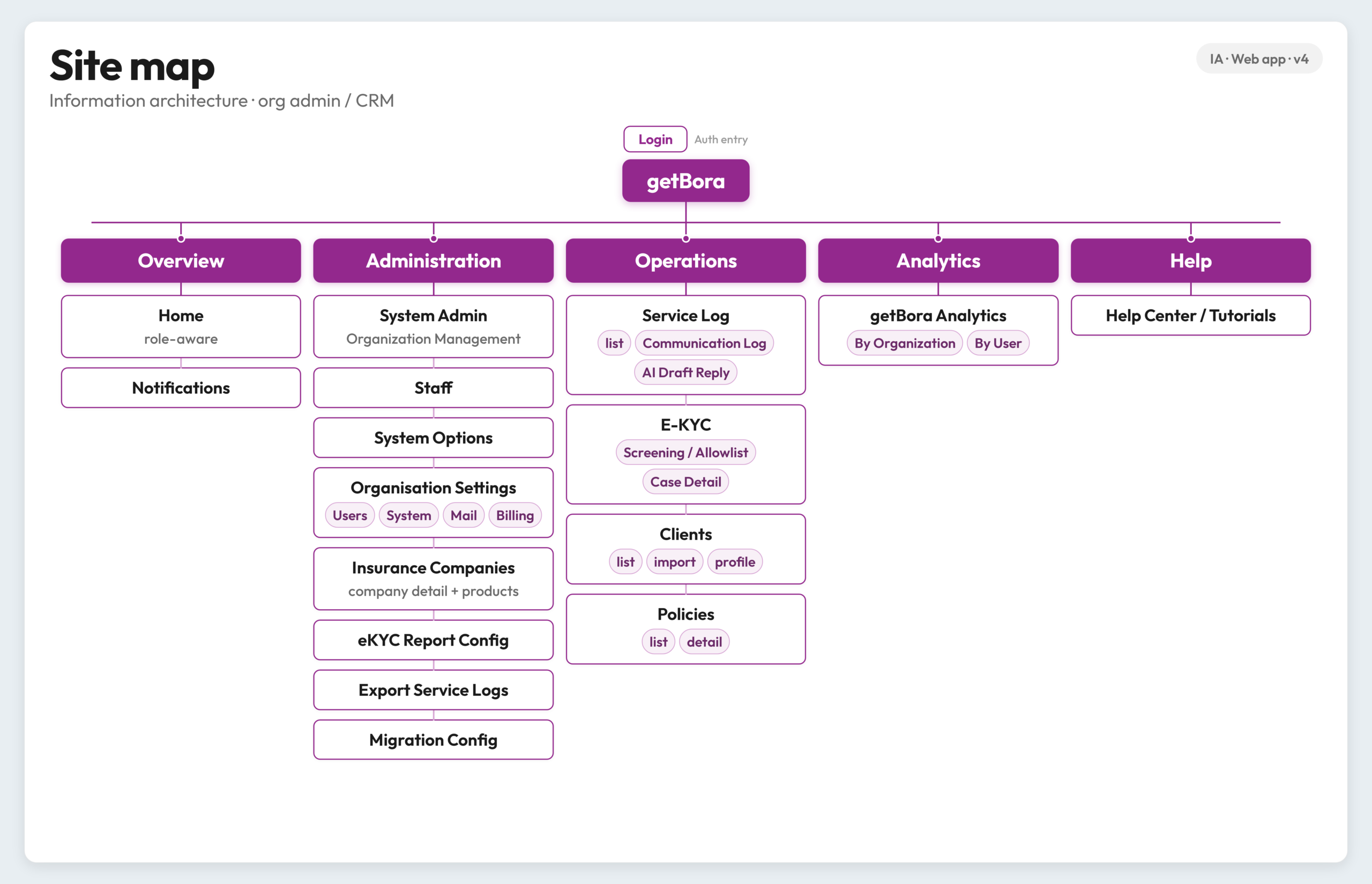
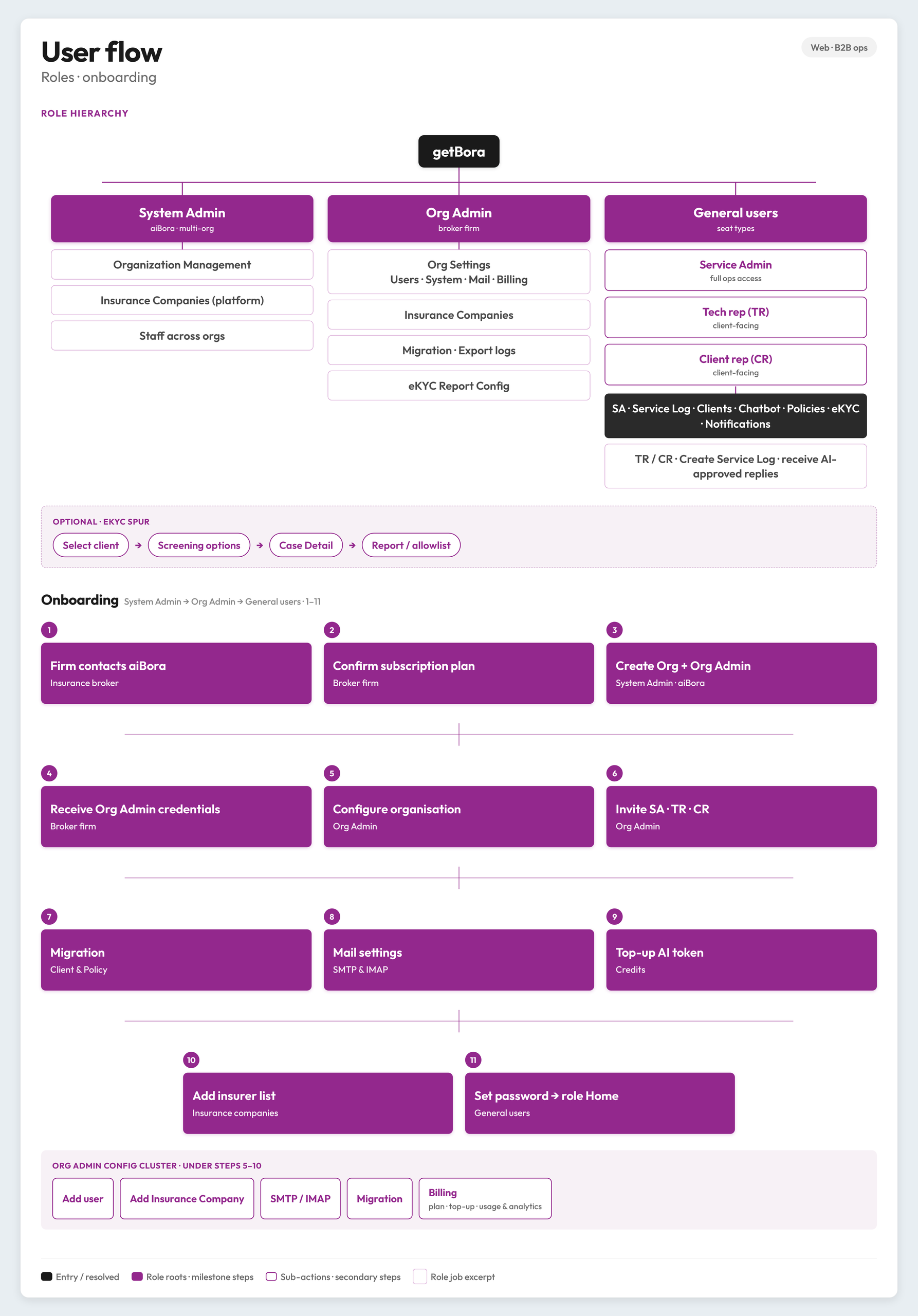
- Roles span System admin, Org Admin, Service Admin, Tech rep, and Client rep — one shell, different jobs.
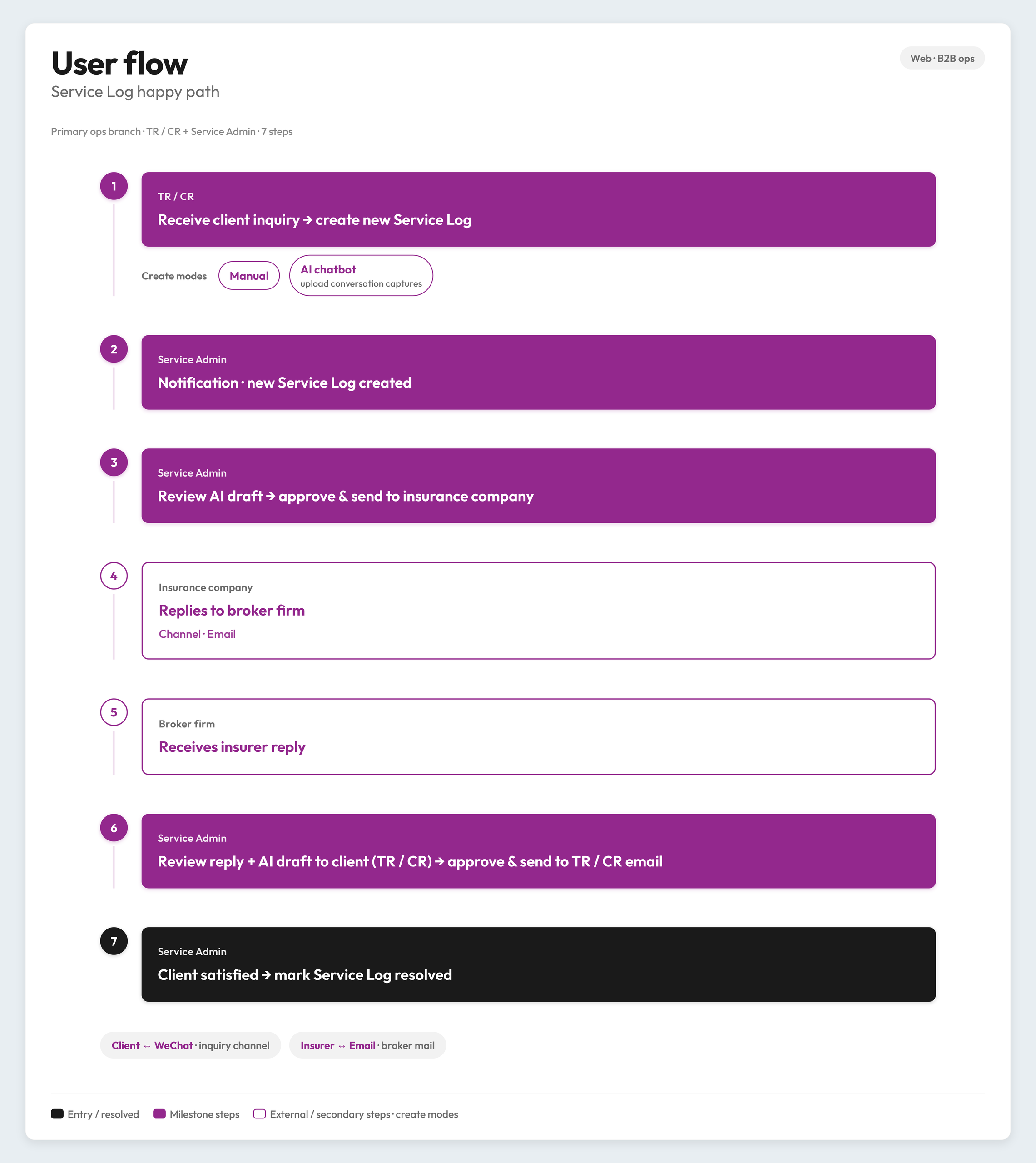
- Service Logs are created manually or via AI chatbot (upload conversation captures).
- Onboarding runs System Admin creates org → Org Admin configures → invite users → migration → mail SMTP/IMAP → top-up → insurer list.
- Happy path: TR/CR create log → Service Admin reviews AI draft to insurer → reply → AI draft to TR/CR → resolve.
- Policy and client data had to sit next to the conversation, not in another tab farm.
- AI drafts were useful only if staff could edit, regenerate, and own the send.
- eKYC needed a priced, jurisdiction-aware path plus human resolution when screening failed clean.
- Org admins needed seats and usage visible without entering every case.
- In-product Help Center and Tutorials were part of making a wide Administration + Operations IA learnable.
Insights → design implications
| Insight | Design implication |
|---|---|
| 1. The case is the spine. Client pings, insurer emails, and status live in different places. | Make Service Log → Communication Log the primary ops narrative; attach client, policy, insurer, assignee. |
| 2. Channels are mixed by default. WeChat for clients; email for insurers is a common pattern. | Timeline that labels channel + direction (Client / Service Admin / Insurer); create-log supports WeChat ID or mobile. |
| 3. AI must not own the send. Fluent drafts without edit/regenerate break accountability. | AI Draft Reply inside the log: regenerate (“shorter”, “softer tone”), edit, save draft — human marks resolved. |
| 4. Compliance is a path, not a PDF dump. False positives and jurisdiction options need ops UX. | eKYC one-off wizard + case detail with manual handling; report config for branded output; allowlist rules for suppressions. |
| 5. Roles are not one dashboard. System, org, and service jobs differ. | Role-aware Home shortcuts + seat types (Org Admin, Service Admin, Tech rep, Client rep); switcher for privileged preview. |
| 6. Metering is part of trust. Hidden AI/eKYC cost surprises seat owners. | Billing: credits, top-up, seats; Usage by user lines for AI chat, redraft, eKYC. |
REFRAME
The reframe
We started with a familiar ask: “Build a brokerage CRM” — or, in marketing language, an Autonomous AI layer for insurance brokerage.
Evidence from shadowing and the product audit pointed elsewhere: Teams need a role-aware operations shell where the service case stays continuous across channels, AI helps draft under oversight, and compliance / billing stay reachable without turning every screen into a chatbot.
The job wasn’t “add another dashboard” or “full autonomy without people.”
It was: help brokerage staff run continuous service cases inside one AI-assisted ops platform — clients, policies, multi-channel threads, eKYC — with judgment gates still owned by humans.
DECISIONS
Key decisions
Decision 1 — Service Log as the ops spine (not chat-as-the-whole-app)
| Option A | Chat-only product (everything as messages; CRM entities secondary). |
| Option B | Classic CRM lists only (clients/policies; communications stay in WeChat/email outside). |
| Chose | CRM entities + Service Log Communication Log as the case spine; AI redraft lives inside the log. |
| Trade-off | More IA to learn than a single chat; fewer context switches and a clear audit trail for servicing. |
Decision 2 — Role-aware homes and seats, one shell
| Option A | One identical home for all users. |
| Option B | Completely separate apps per role. |
| Chose | One product shell with role-specific Home cards/widgets and seat types (Organization Admin, Service Admin, Tech representative, Client representative); System Admin for multi-org / catalogue. |
| Trade-off | Permission complexity; matches how brokerages actually buy and staff seats. |
Decision 3 — AI as draft assist, not silent send
| Option A | Auto-send insurer/client replies from model output. |
| Option B | No AI — templates only. |
| Chose | AI Draft Reply with regenerate instructions, editable body, save draft; staff assign, resolve, and stay accountable. |
| Trade-off | Extra step vs “full autonomy”; aligns with regulated servicing and marketing’s human-oversight clause without overclaiming silent execution. |
Decision 4 — eKYC as configurable ops + manual handling
| Option A | Binary pass/fail buried in a vendor portal. |
| Option B | Heavy case-management clone unrelated to clients. |
| Chose | One-off screening tied to clients/jurisdiction/options (priced), case detail with manual decision when needed, report config, allowlist suppressions. |
| Trade-off | More screens; keeps compliance inside the same ops platform clients already use. |
Decision 5 — Org billing & usage as first-class admin UX
| Option A | Invoice offline; hide AI/eKYC metering. |
| Option B | Show credits, seats, and per-user usage (AI chat, redraft, eKYC) in Organisation Settings. |
| Chose | Visible subscription + usage so seat owners understand metered cost. |
| Trade-off | Commercial UI on an ops tool; teaches cost early (sample figures in UI are illustrative). |
Sample credits, seat counts, and HKD line items on screenshots are fake / illustrative and fine to leave visible.
INFORMATION ARCHITECTURE
Site Map
INFORMATION ARCHITECTURE
User Flow
PROTOTYPE PROCESS
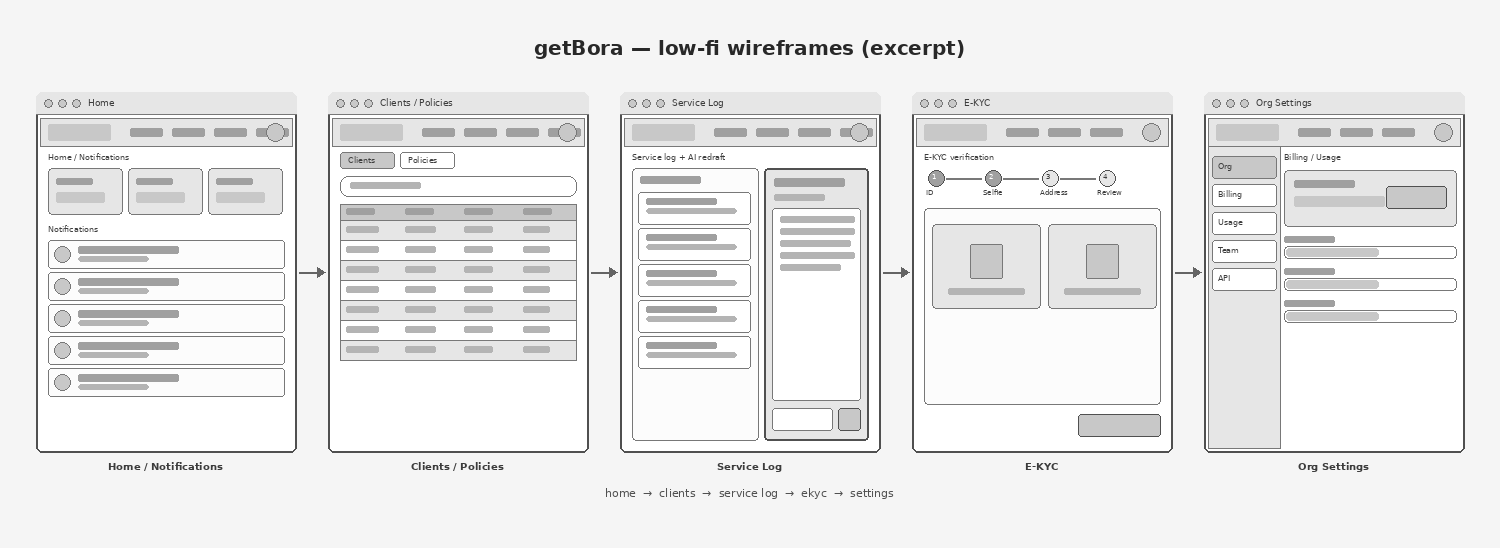
Wireframing
Early wires — service case timeline → redraft → eKYC / billing. Existing wire art will be replaced by remade polished lo-fi / process mockups (separate workstream; placeholder until then).
SOLUTION
Solution
Home and notifications orient the role. Clients and policies hold the record. Service Log owns the multi-channel case and AI redraft. eKYC and org billing sit alongside — not inside every message. In-product Help Center and Tutorials support onboarding across Administration and Operations.
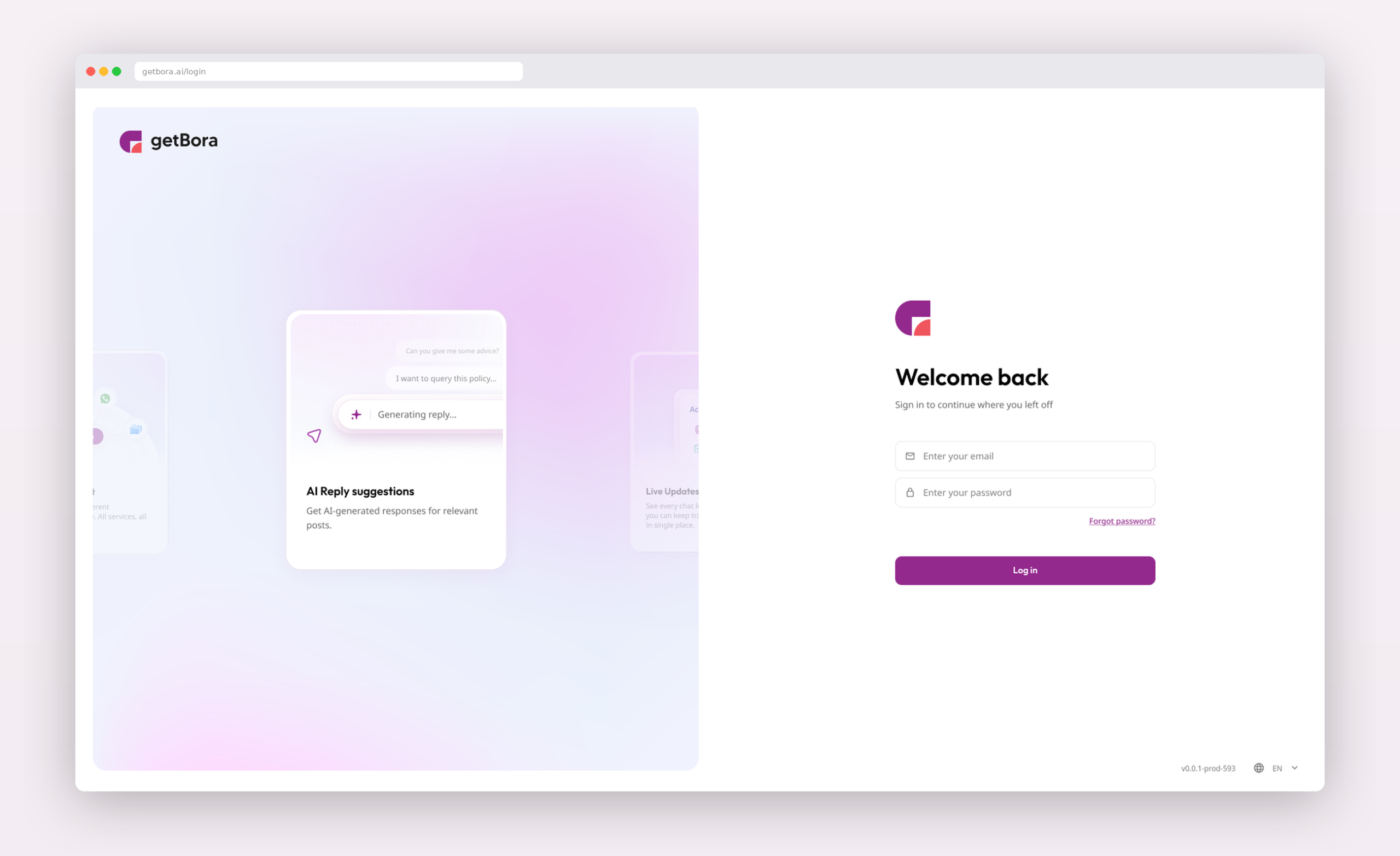
Auth — professional gate
Split login: product story carousel (AI reply suggestions, live updates, multiservice support) beside a calm email/password form.
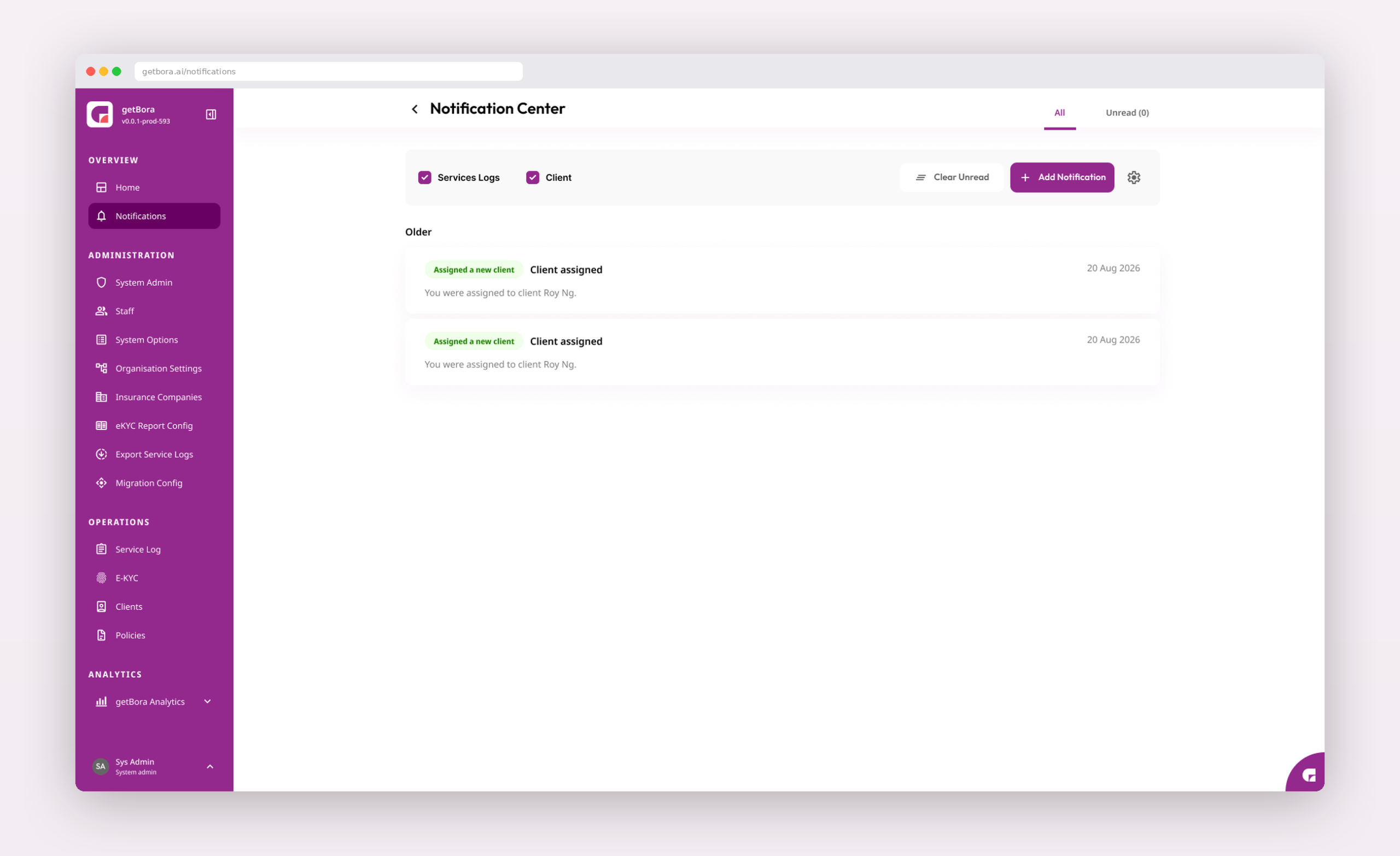
Home & notifications — role-aware entry
Org Admin, Service Admin, and System Admin homes surface different shortcuts (org settings vs service queue vs platform org management). Role-aware home and notification center — stay on top of what matters.
Why it matters: Same shell, different jobs — without shipping three products.
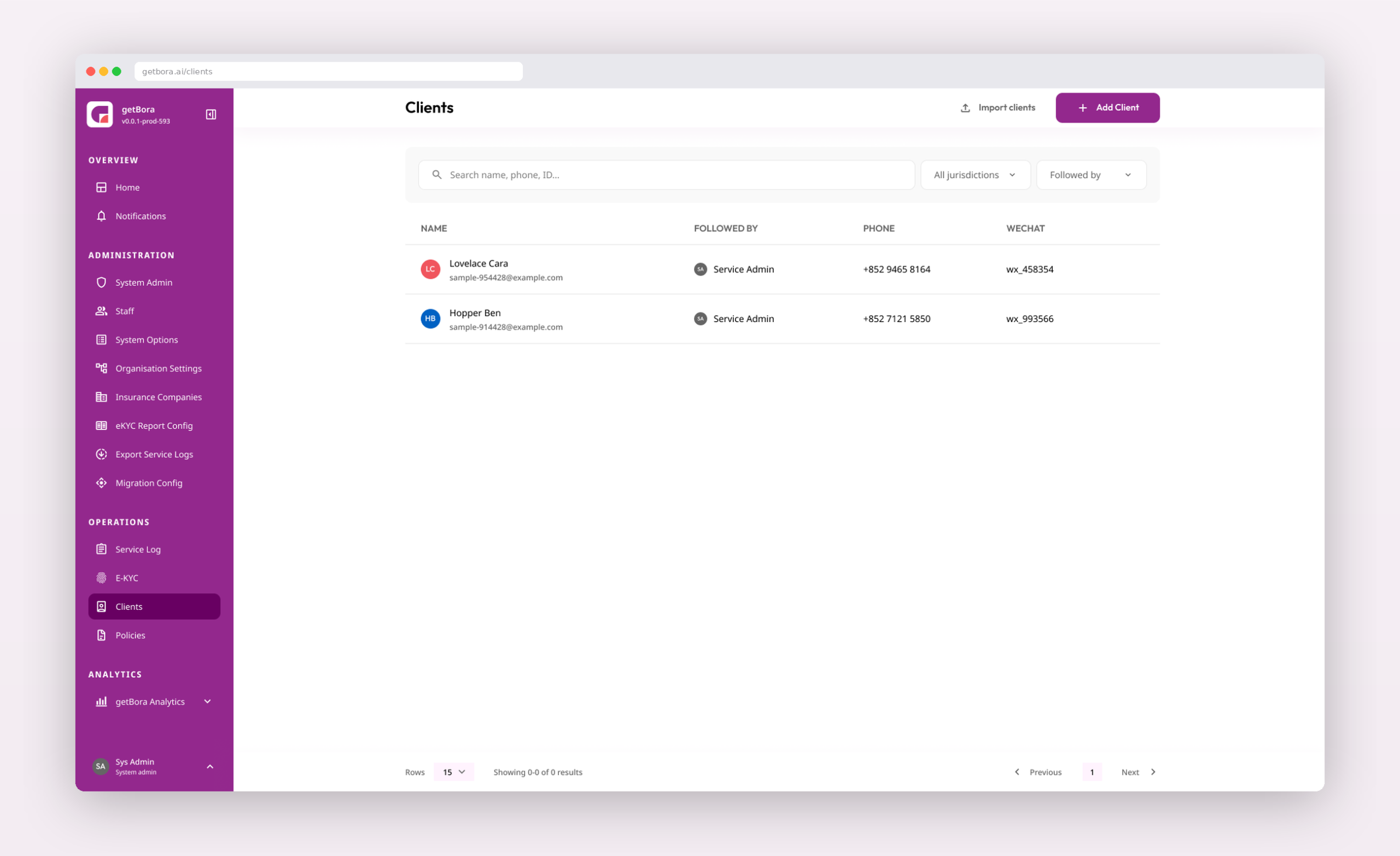
Clients & policies — system of record
Client list with follower, phone, WeChat, jurisdiction filters; policies with premium, status, next payment; policy detail for plan, parties, and payment. Import/add paths support migration-era brokerages.
Why it matters: The Service Log can deep-link a real policy and client instead of pasting IDs into email.
Service Log — multi-channel case + AI redraft
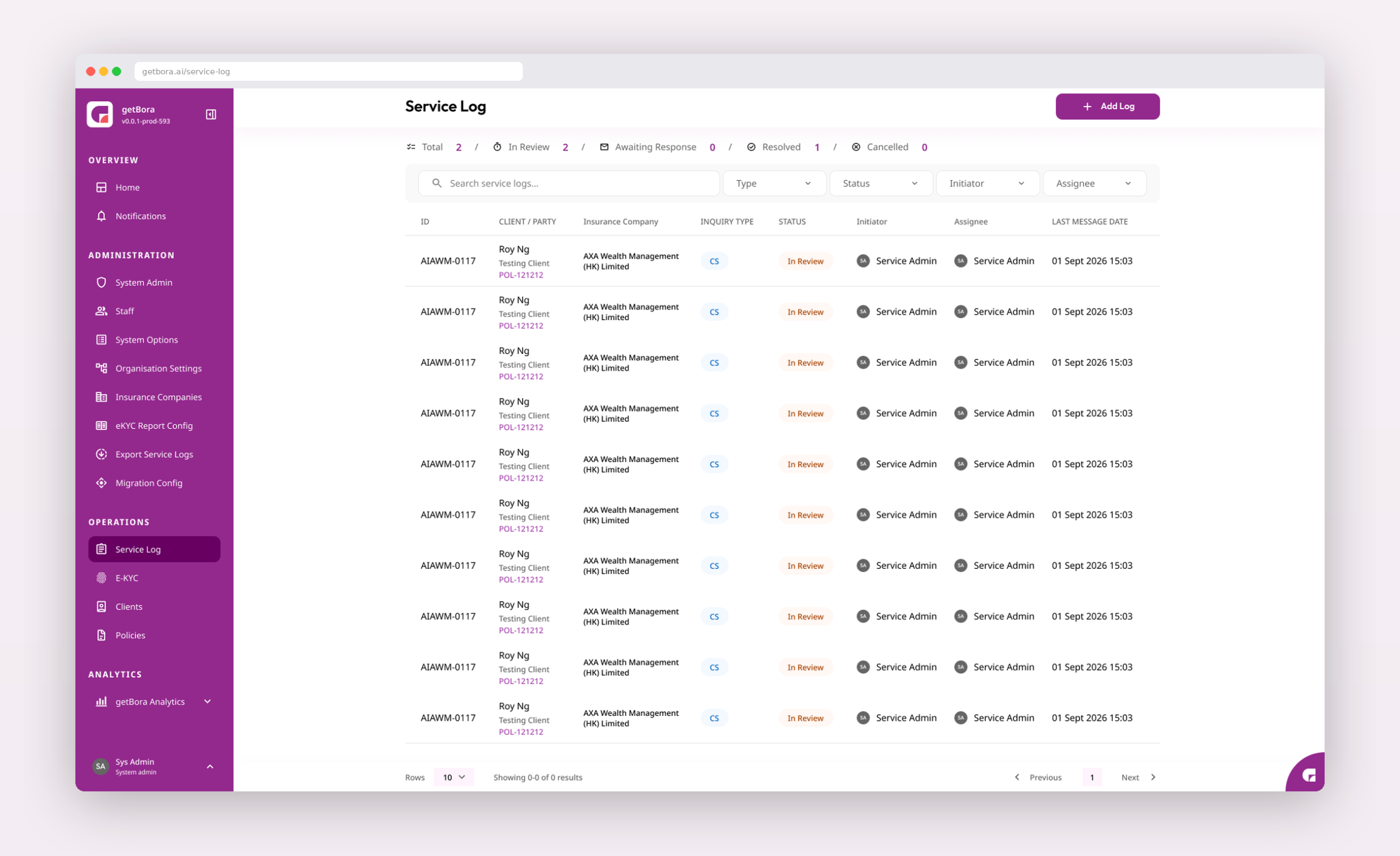
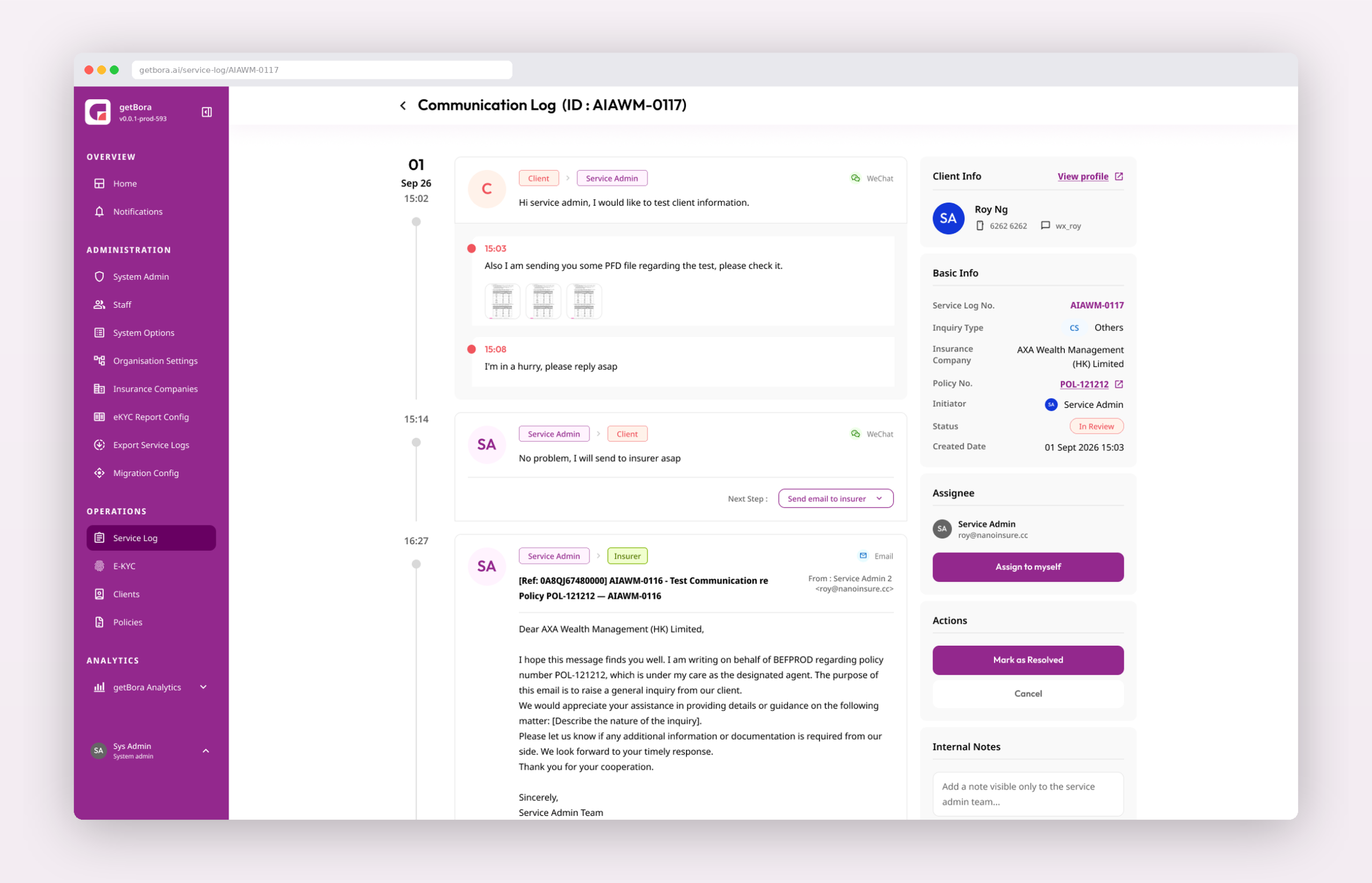
Status queue → Communication Log timeline (WeChat and email, client and insurer) → AI Draft Reply with regenerate and save draft → mark resolved. Create Service Log captures channel, inquiry type, policy, and attachments up front. (Happy path aligns with notes: TR/CR create → Service Admin reviews AI draft to insurer → reply → AI draft to TR/CR → resolve.)
Why it matters: Turns fragmented chat and insurer email into one accountable thread — AI speeds drafting; humans keep the send and the close.
eKYC — screening with human gates
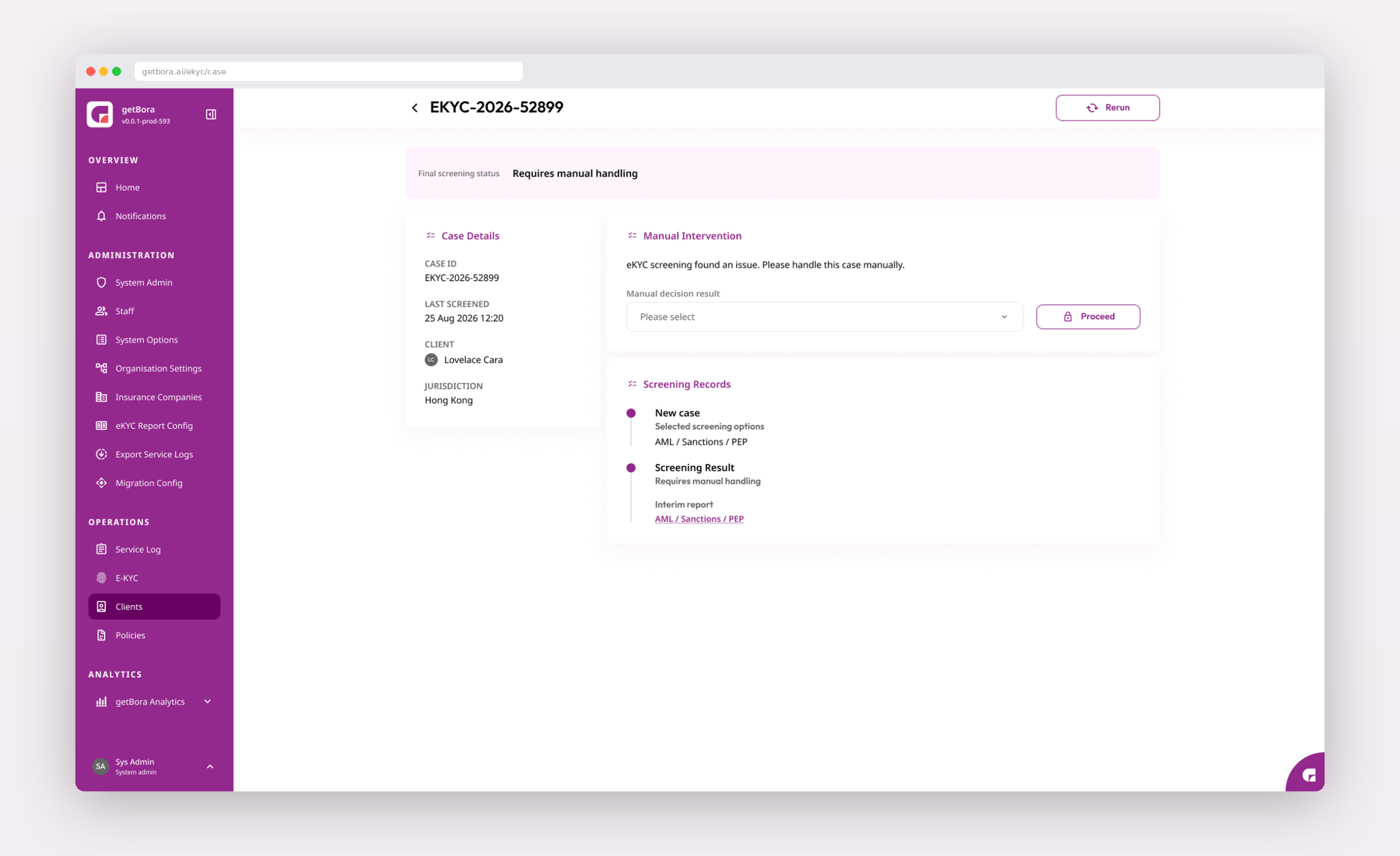
One-off screening wizard (client, jurisdiction, AML+ options with visible HKD prices), case detail when status requires manual handling, branded report configuration with live PDF preview, allowlist rules for false-positive suppression.
Why it matters: Compliance stays inside the ops platform, with clear human decision points instead of a black-box vendor tab.
Organisation billing & usage — seats you can see
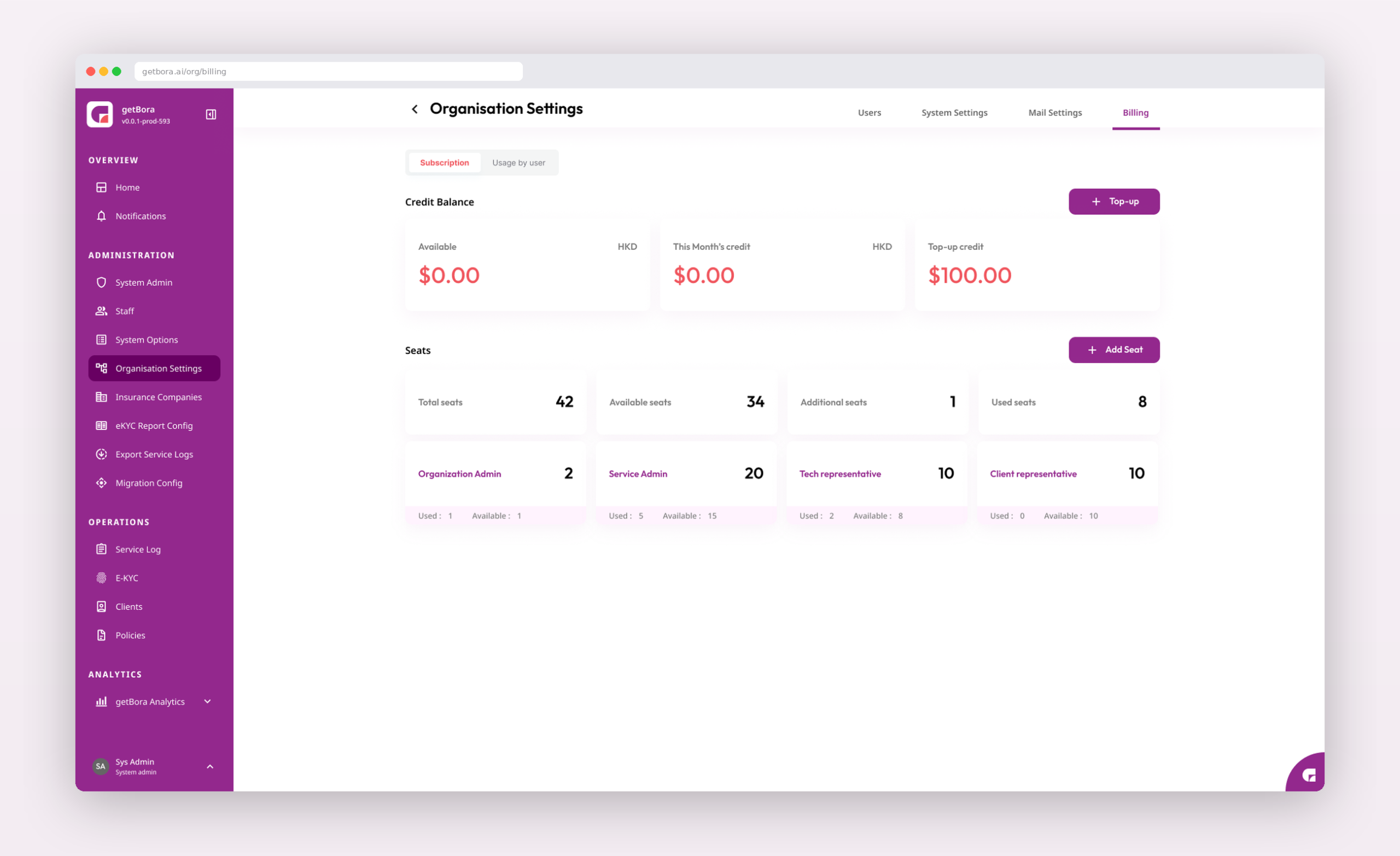
Credit balance and top-up; seats by role (including Tech rep / Client rep as seat types — light mention only); usage-by-user breakdown (AI chat, redraft service log reply, eKYC screening). Sample figures are illustrative.
Why it matters: Metered AI and screening cost become product UX for seat owners — not a surprise invoice.
Insurance companies — catalogue in the same shell
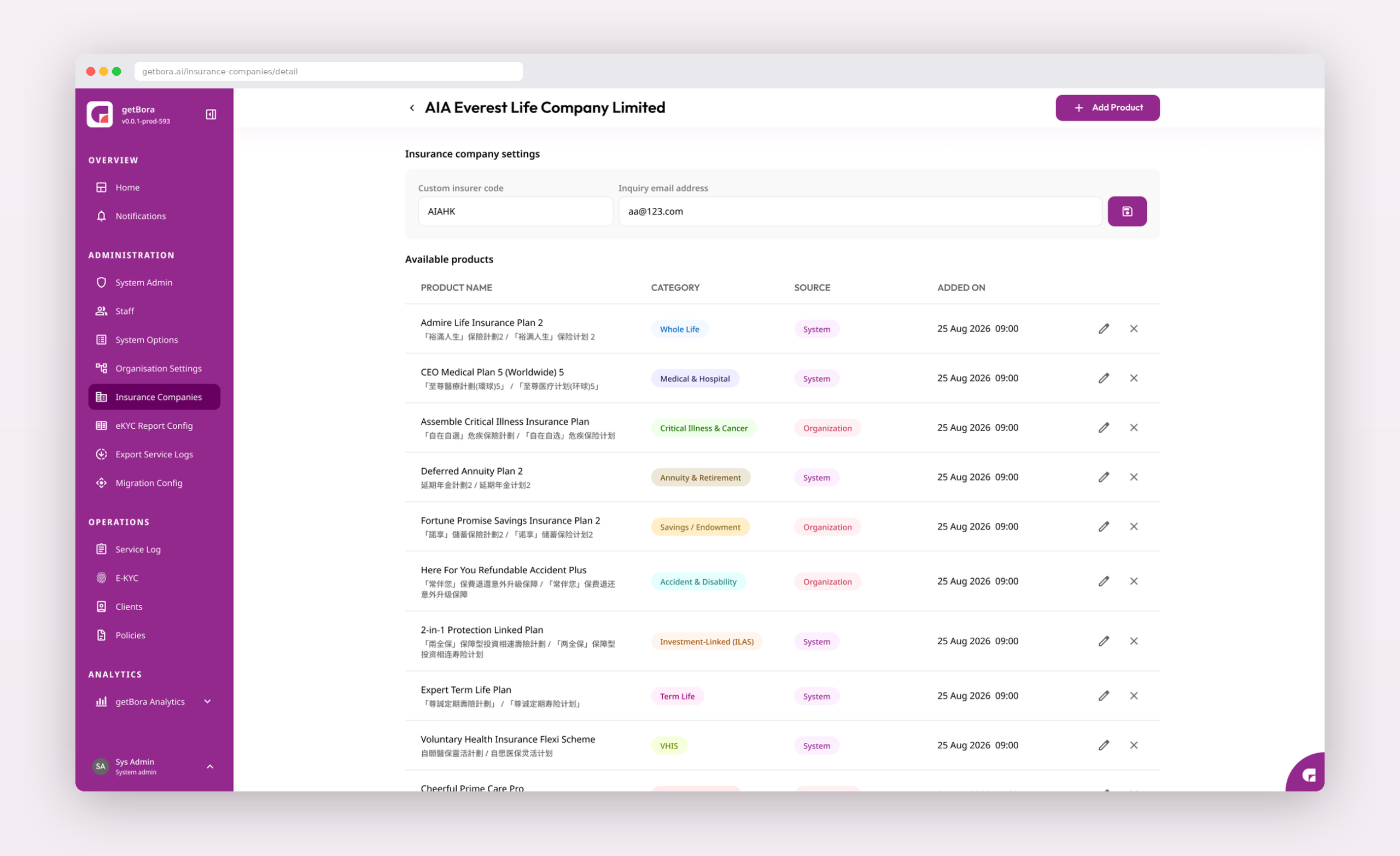
Insurer detail with product catalogue (categories, system vs organisation source) so service cases and policies can attach to real products without leaving the ops shell.
Why it matters: Completes the ops narrative — clients and policies need a trustworthy insurer/product source of truth next to the Service Log.
OUTCOMES
Qualitative outcomes
No conversion rates, time-saved %, or NPS — none invented.
- Brought clients, policies, multi-channel service cases, eKYC, and org billing into one role-aware Autonomous AI ops platform, instead of WeChat / inbox / spreadsheet sprawl.
- Made the Service Log the continuous case narrative, with channel-labeled timeline and insurer email in the same thread.
- Designed AI reply assist as editable draft + regenerate — human oversight on send and resolve.
- Gave compliance a structured eKYC path (options, manual handling, report config, allowlist) inside the same product.
- Made seats, credits, and usage understandable for org admins.
- Supported learnability with in-product Help Center and Tutorials.
- Designed the shell end-to-end in high fidelity for a responsive webapp (no launch metrics claimed here; tablet captures are incidental only — not a platform claim).
Constraints I designed within
- Regulated-tone expectations (human accountability on servicing and screening).
- Designer bandwidth across a wide Administration + Operations IA.
- Marketing “autonomy” language vs portfolio honesty (oversight gates kept visible).
LEARNING
What I learned
- In brokerage ops tools, AI is a draft layer — not the case owner. The hard design work was the Service Log spine and role-aware shell so staff still own clients and insurers.
- Continuity beats feature count. Linking WeChat, email, policy, and assignee in one timeline did more for the job than adding another dashboard widget.
- Commercial and compliance UX belong in the same product story. Seats/usage and eKYC are not “admin leftovers”; they are why brokerages trust an ops platform.
If I continued the work, I would run usability tests with service admins on the Communication Log + redraft pattern and tighten seat-type clarity in the IA where needed.